Who Should Use WhatsApp Multi-Account Management Software? GeekiWS Use Cases and Best Practices
GeekiWS helps businesses manage multiple WhatsApp accounts for cross-border e-commerce, marketing, customer service, and multilingual teams, centralizing
For businesses managing international customers through WhatsApp, account management, customer communication, and team collaboration are essential parts of daily operations.
As a business grows, managing multiple WhatsApp accounts, handling customer inquiries, and coordinating marketing activities can become increasingly difficult. Relying on individual accounts and manual processes may lead to scattered conversations, inefficient workflows, and challenges with team management.
This is where WhatsApp marketing software and multi-account management tools can make a difference.
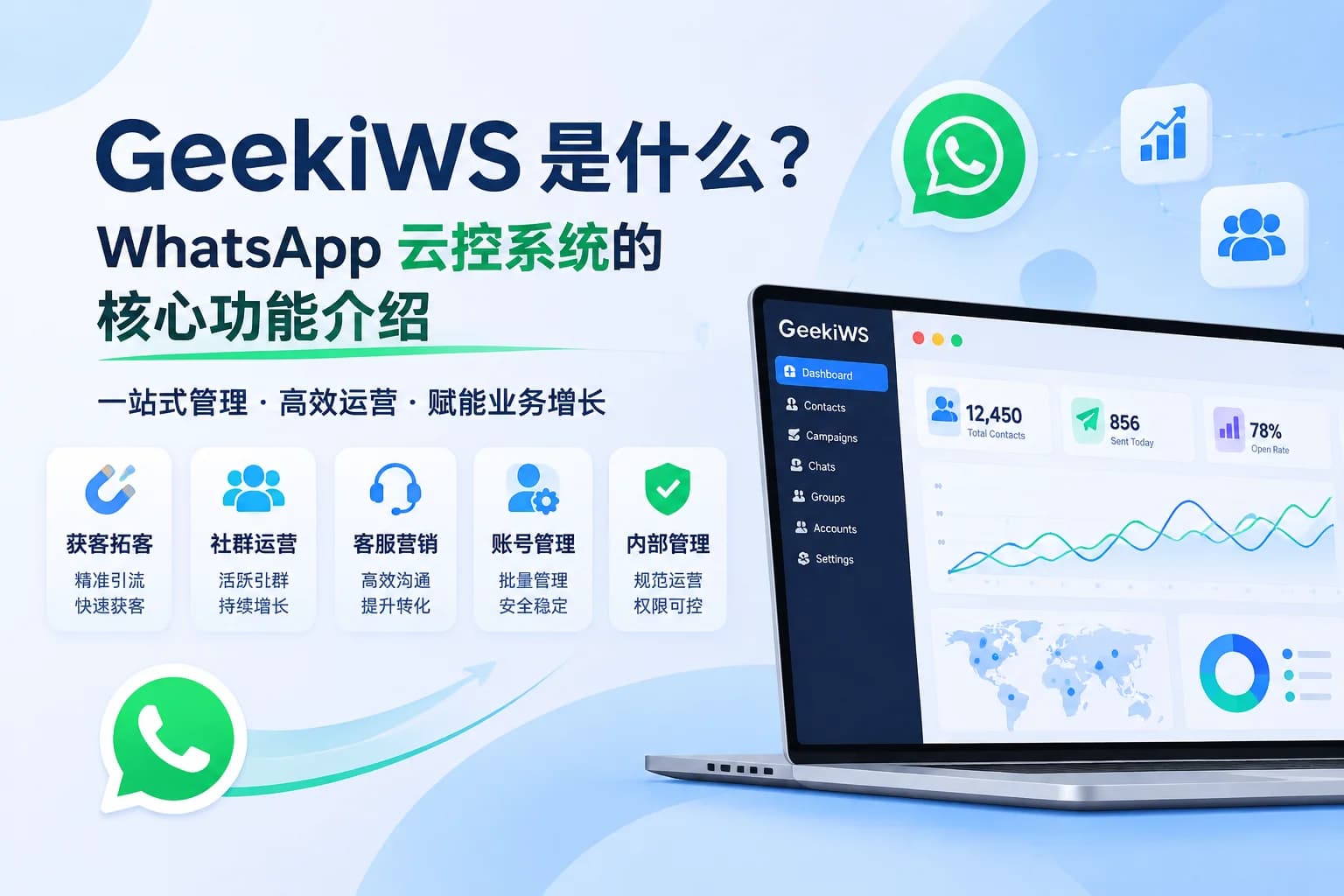
GeekiWS is a cloud-based WhatsApp marketing and customer management system designed to help businesses manage multiple accounts, organize customer conversations, coordinate marketing activities, and improve team collaboration.
But is GeekiWS right for every business?
In this guide, we'll explore which teams can benefit from GeekiWS, what to consider when using WhatsApp management software, and how to prepare your team before getting started.
1. Which Teams Can Benefit from GeekiWS?
GeekiWS is particularly suitable for businesses that manage multiple WhatsApp accounts, handle large volumes of customer conversations, or require collaboration between different team members.
Here are four common use cases.
1.1 Cross-Border E-commerce Teams
Cross-border e-commerce businesses often use WhatsApp to communicate with international customers throughout the buying journey.
Common activities include:
- Answering product questions and customer inquiries.
- Following up on potential buyers and purchase decisions.
- Communicating order updates and after-sales information.
- Managing customer relationships across different markets.
As customer volume increases, relying on a single WhatsApp account can make it difficult to manage conversations and distribute customer communication tasks.
GeekiWS helps e-commerce teams manage multiple WhatsApp accounts from a centralized workspace, organize customer information, and handle conversations more efficiently.
This makes it easier for teams to coordinate customer communication and maintain more organized daily operations.
1.2 Overseas Marketing Teams
For businesses looking to reach international audiences, WhatsApp can be an important channel for customer acquisition and marketing communication.
However, managing multiple marketing accounts and messaging activities manually can consume considerable time.
GeekiWS provides account management and bulk messaging features that help marketing teams:
- Manage multiple WhatsApp accounts in one system.
- Organize bulk messaging campaigns and marketing tasks.
- Coordinate customer acquisition activities.
- Standardize daily marketing workflows.
For businesses running WhatsApp marketing campaigns, it is important to contact relevant audiences and respect user communication preferences.
Always ensure that your messaging activities comply with WhatsApp's applicable policies and local marketing regulations.
1.3 Overseas Customer Service Teams
When multiple customer service representatives handle WhatsApp inquiries, communication can become fragmented.
Common challenges include:
- Customer messages being scattered across different accounts.
- Slow responses during busy periods.
- Repeated replies from different team members.
- Difficulty maintaining consistent customer communication.
GeekiWS provides a shared customer service workspace with multiple chat windows, quick replies, customer management, and conversation monitoring features.
These tools help customer service teams organize conversations, standardize responses, and coordinate their daily work.
For businesses serving customers across different time zones, a more centralized customer communication process can also make it easier to maintain service continuity.
1.4 Multilingual Business Teams
Businesses operating in multiple countries often communicate with customers who speak different languages.
Language barriers can slow down customer service, complicate sales conversations, and increase the workload of international teams.
GeekiWS supports real-time two-way translation, helping team members communicate with international customers without constantly switching between translation tools.
This is particularly useful for:
- Cross-border sales teams communicating with overseas buyers.
- Customer service teams handling multilingual inquiries.
- Marketing teams managing international customer conversations.
- Businesses expanding into multiple language markets.
By integrating translation into daily communication workflows, teams can reduce language-related friction and improve communication efficiency.
2. What Should You Consider When Using WhatsApp Management Software?
While WhatsApp marketing software can improve operational efficiency, businesses should understand its limitations and use it responsibly.
Here are three important considerations.
2.1 Bulk Messaging Does Not Mean Unlimited Messaging
Bulk messaging features can help businesses organize marketing campaigns and communicate with multiple customers more efficiently.
However, having a bulk messaging tool does not mean businesses can send unlimited messages to unfamiliar users.
To maintain responsible messaging practices, businesses should:
- Prioritize customers who have contacted the business or agreed to receive relevant communications.
- Avoid sending unsolicited or irrelevant promotional messages.
- Provide a clear way for customers to opt out of marketing communications.
- Respect customer preferences and opt-out requests.
- Follow WhatsApp's applicable Terms of Service and Business Messaging Policies.
The goal of WhatsApp marketing should be to build meaningful customer relationships, not simply increase message volume.
2.2 Multi-Account Management Does Not Guarantee Account Safety
Managing multiple WhatsApp accounts through one system can help businesses organize their daily operations.
However, using a third-party WhatsApp management tool does not guarantee that accounts will never be restricted or banned.
Account status may be affected by several factors, including:
- User complaints and spam reports.
- Message content and sending frequency.
- Customer engagement and feedback.
- Account history and usage patterns.
- Changes to WhatsApp's platform policies.
Businesses should establish clear account management procedures, monitor account activity, and avoid behavior that could negatively affect the customer experience.
No third-party tool should be considered a way to bypass WhatsApp's platform policies or guarantee account security.
2.3 Protect Customer Data and Manage Account Permissions
When multiple employees share responsibility for WhatsApp accounts and customer communication, data security and access management become increasingly important.
Without clear permission controls, businesses may face unnecessary risks involving customer information and account access.
We recommend the following practices:
- Assign account access and customer service permissions based on employees' roles.
- Establish clear rules for importing, viewing, and using customer information.
- Review employee access permissions regularly.
- Remove access when employees leave or change responsibilities.
- Avoid collecting or using customer information without proper authorization.
- Handle customer data in accordance with applicable privacy laws and regulations.
A clear internal management process helps businesses maintain better control over their accounts and customer information as their teams grow.
3. How to Prepare Your Team Before Using GeekiWS
Before introducing a WhatsApp management system, businesses should organize their account resources, team responsibilities, and customer information.
The following steps can help make the setup process more efficient.
Step 1: Organize Your WhatsApp Accounts
Start by identifying how many WhatsApp accounts your business needs to manage.
Consider:
- The number of accounts currently in use.
- The markets and business functions associated with each account.
- Which employees need access to each account.
- How accounts should be grouped and managed.
Having a clear account structure makes daily management easier.
Step 2: Define Team Roles and Responsibilities
Determine how different team members will use the system.
For example:
- Marketing teams manage customer acquisition and messaging activities.
- Customer service teams handle inquiries and customer conversations.
- Managers oversee account usage, team permissions, and daily operations.
Define who is responsible for each account and establish clear internal workflows.
Step 3: Organize Your Customer Information
Prepare customer information obtained through appropriate and authorized channels.
Before importing customer data, make sure your team understands:
- Where the customer information comes from.
- Whether the information can legally be used for your intended purpose.
- Whether customers have agreed to receive relevant communications.
- Who is authorized to access and manage customer data.
Good customer data management provides a more reliable foundation for marketing and customer service activities.
Step 4: Prepare Your Daily Communication Content
Organize the materials your team regularly uses, including:
- Frequently asked customer service questions.
- Quick replies and standard response scripts.
- Product introductions and promotional materials.
- Multilingual communication content.
- Common customer follow-up messages.
Standardized communication materials can help teams maintain consistent messaging and reduce repetitive manual work.
Step 5: Start with a Small-Scale Test
Before expanding usage across your entire team, test the main workflows with a limited number of accounts.
We recommend checking:
- WhatsApp account connection and login.
- Multi-account management.
- Message sending and receiving.
- Customer service collaboration.
- Quick replies and translation.
- Account permissions and customer data management.
Once the workflows have been tested and your team understands how to use the system, you can gradually expand its application.
4. GeekiWS Frequently Asked Questions
Q1: Does GeekiWS support multiple WhatsApp accounts?
Yes. GeekiWS supports multi-account management, including account importing, account grouping, and centralized account management.
It is designed for businesses that need to organize multiple WhatsApp accounts and coordinate account usage across their teams.
Q2: Does GeekiWS support multilingual translation?
Yes. GeekiWS provides real-time two-way translation to help teams communicate with international customers in different languages.
This feature is particularly useful for cross-border businesses and customer service teams handling multilingual conversations.
Q3: Can GeekiWS guarantee that my WhatsApp accounts will never be banned?
No. GeekiWS cannot guarantee that WhatsApp accounts will never be restricted or banned.
Account status depends on multiple factors, including messaging behavior, customer feedback, account activity, and WhatsApp's platform policies.
Businesses should always follow applicable platform rules and maintain responsible account management practices.
Q4: Is GeekiWS suitable for individual users?
GeekiWS is primarily designed for businesses and teams that need multi-account management, customer communication, marketing operations, and team collaboration.
If you only use one WhatsApp account for personal communication and do not have complex business requirements, you may not need a dedicated WhatsApp management system.
Q5: What types of businesses can benefit most from GeekiWS?
GeekiWS is particularly suitable for:
- Cross-border e-commerce businesses.
- Overseas marketing teams.
- International sales teams.
- Customer service departments.
- Businesses managing multiple WhatsApp accounts.
It is especially useful when manual account management and fragmented communication begin to affect operational efficiency.
5. Conclusion: Choose a WhatsApp Management Solution That Fits Your Business
As businesses expand into international markets, managing WhatsApp accounts, customer conversations, and marketing activities becomes more complex.
For cross-border e-commerce businesses, overseas marketing teams, and multilingual customer service departments, a suitable WhatsApp management system can help organize daily operations and improve team collaboration.
GeekiWS brings together multi-account management, bulk messaging, customer service tools, customer data management, and real-time translation in one centralized workspace.
Rather than focusing only on sending more messages, businesses can use these capabilities to build more organized customer communication and marketing workflows.
If your team is struggling with multiple WhatsApp accounts, fragmented customer conversations, or inefficient cross-language communication, GeekiWS may be worth exploring.
Ready to simplify your WhatsApp marketing and customer management workflows?
Discover how GeekiWS can help your team manage multiple WhatsApp accounts, streamline customer communication, and improve daily operational efficiency.
Originally published by SalesCMS. Please credit the source when reposting.